
The instructions have been checked against version 8.2.7. Some screenshots are from earlier versions, so labels, icons, or layout may differ.
Move the file
Need to create destination folder first
Please see ” Swipe file from right to left ” for the button display

Tap “Move” to display the folder tree
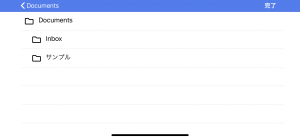
Tap the folder that you want to move, “Done” is complete move